
Office · Office Storage
Network Cabinet (Wall)

Overview
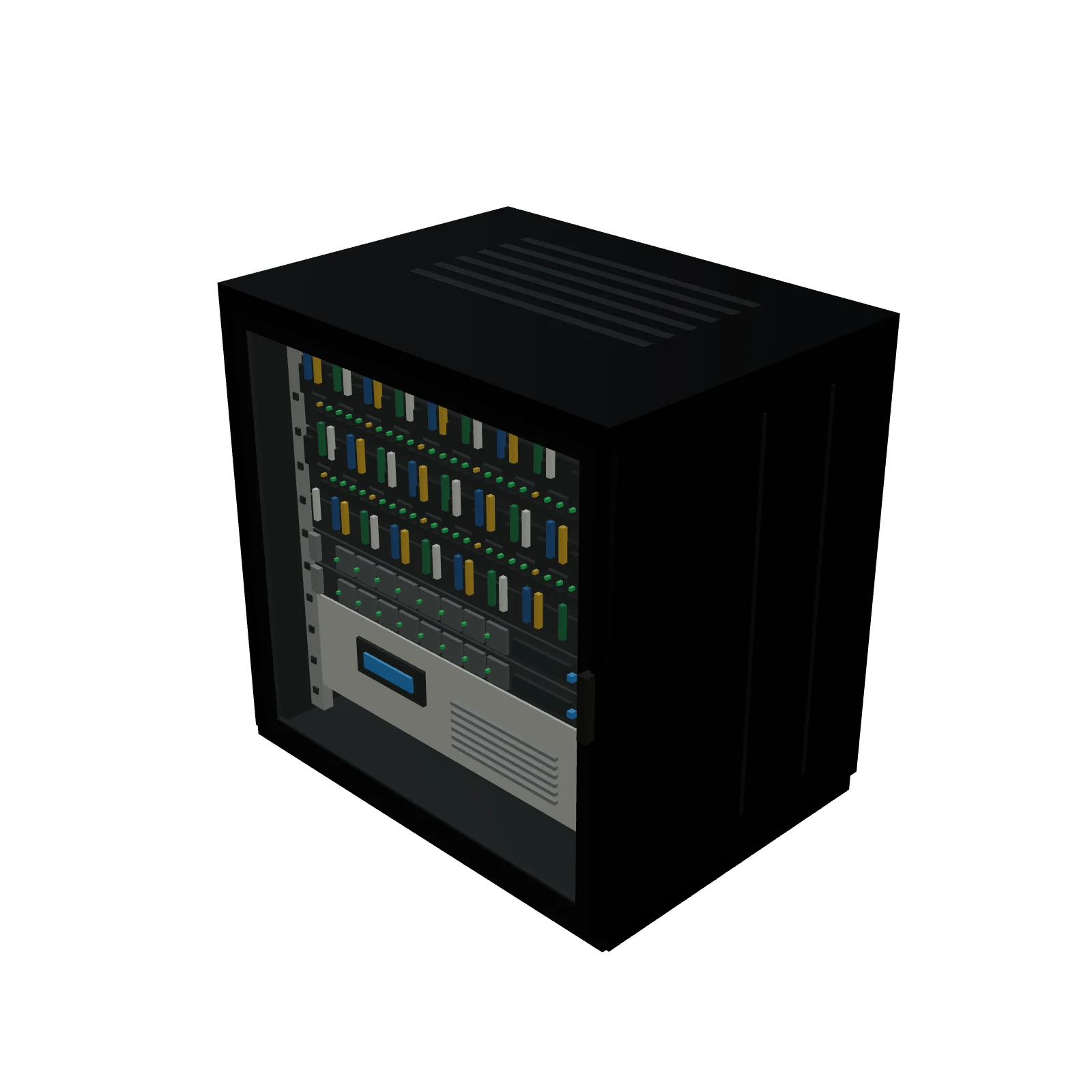
A wall-mounted network cabinet with a framed tinted-glass door. Inside, the 3D model shows rack gear such as a patch panel, cable managers and a network switch. Small offices use one to hold networking equipment in a closet or on an office wall.
Sizing & placement
It is 24 inches wide, 18 inches deep and 24 inches tall (about 61 × 46 × 61 cm). It hangs on the wall: drag it onto the wall line in 2D, and set its height with Mount (bottom edge), which starts with its bottom edge 48 inches (about 122 cm) off the floor. Leave room in front for the door to swing open and for someone to work on the cables, and plan an outlet nearby.
Where it works
Network closets, small offices and IT rooms. It is in the Office Storage section of the Office tab in Furnish; search "network cabinet", "wall mount rack" or "data cabinet".
Specifications
| Width | 24 in |
|---|---|
| Depth | 18 in |
| Height | 24 in |
| Shape | rectangle |
| Size class | small |
| Room types | office |
| Default color | #1F2226 |
Featured in Design Ideas
- Plan an IT closet, eye exam room, pharmacy, wine cellar or studio
Server closet, eye exam lane, pharmacy, wine cellar, dance and boxing studio: the pieces, where they are, real sizes and the clearances for each room.
Configurable options
- Color — any hex value
Frequently asked questions
- How big is the wall network cabinet?
- It is 24 inches wide, 18 inches deep and 24 inches tall (about 61 × 46 × 61 cm).
- How do I put it on a wall?
- Drag it onto the wall line in 2D. Mount (bottom edge) in its tray sets how high it hangs; it starts at 48 inches.
- Can I resize it?
- Yes. Change its width, depth and height in the tray.
More office storage
Related guides
Place the Network Cabinet (Wall) in your own floor plan
Open RoomSketch3DIncluded with RoomSketch3D — $19.99 one-time purchase, the full catalog included. No subscription.