Home Office planner

Home Office Layout Planner: A Room You Can Work In All Day

Where the desk goes decides whether your screen has glare, whether your video calls look professional and whether you can push your chair back without hitting the bookshelf. Plan it to scale before you buy the desk. Below: the workstation numbers from OSHA, three real office layouts measured to the inch, and the mistakes people only notice after a month of working there.

$19.99 once — no subscription, no free trial — on web, iPhone/iPad and Android. 30-day money-back guarantee.

RoomSketch3D home office layout planner 3D view of a 12 × 12 ft shared office with two desks, ergonomic chairs and bookshelves

The numbers that matter most

From your eyes to the screen — 50–100 cm[1]
20–40 in
Top of the screen at or slightly below your eyes[1]
Eye level
Screen perpendicular to the window, to avoid glare[1]
90°
Leg clearance under the desk — 50–72 cm[2]
20–28 in

Home Office layouts you can start from

These three offices are templates in the app, built for this page. Our automated tests check each one: 36 in for every chair to push back from its desk, every desk chair actually facing its desk, room to open the filing drawers, and zero warnings from the app's own Smart Flow Check. Every desk is placed side-on to the window, as OSHA recommends for screens.

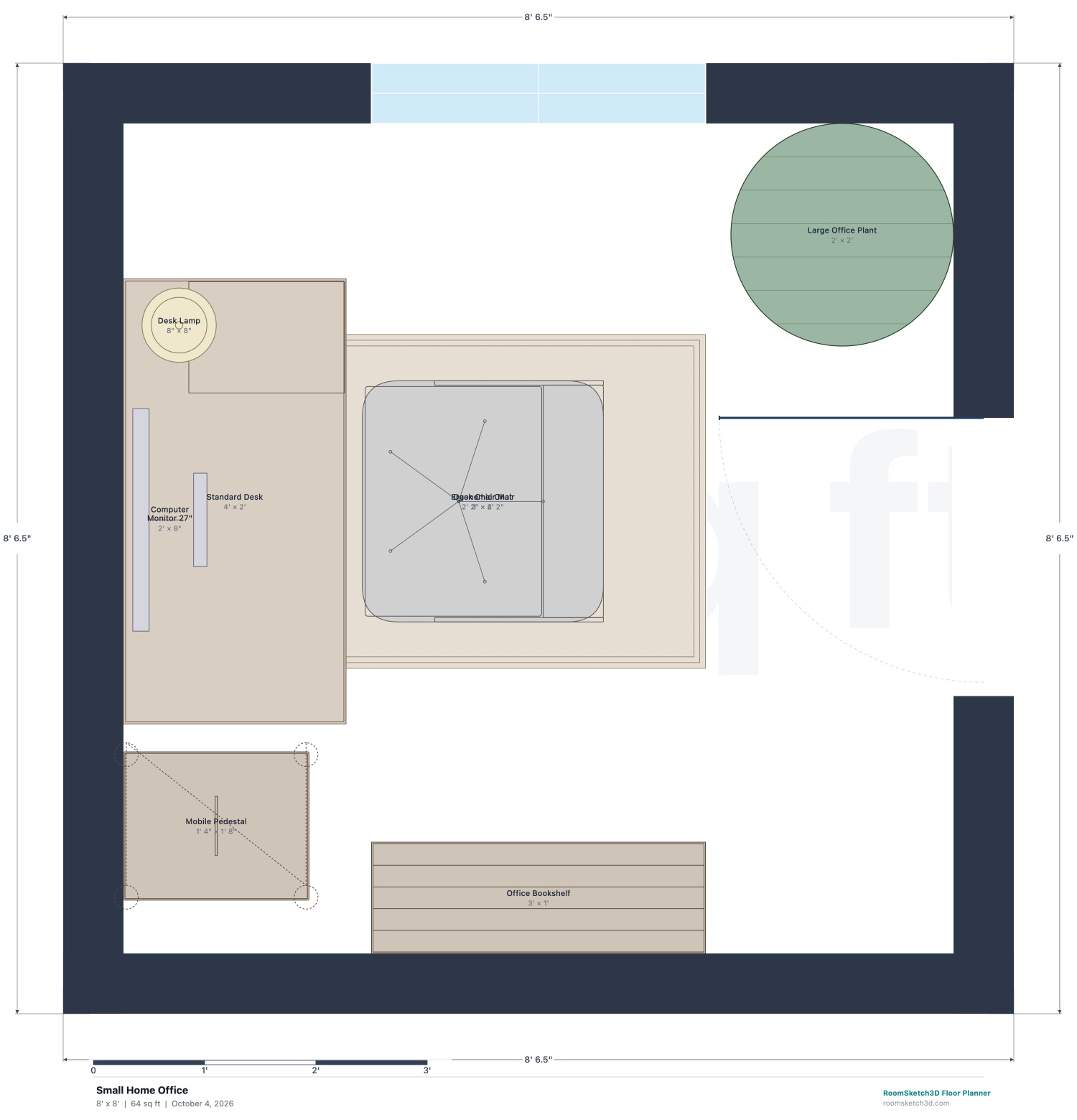
Small Home Office (8 × 8 ft) — dimensioned 2D floor plan in RoomSketch3D
2D plan, drawn to scale — click to enlarge
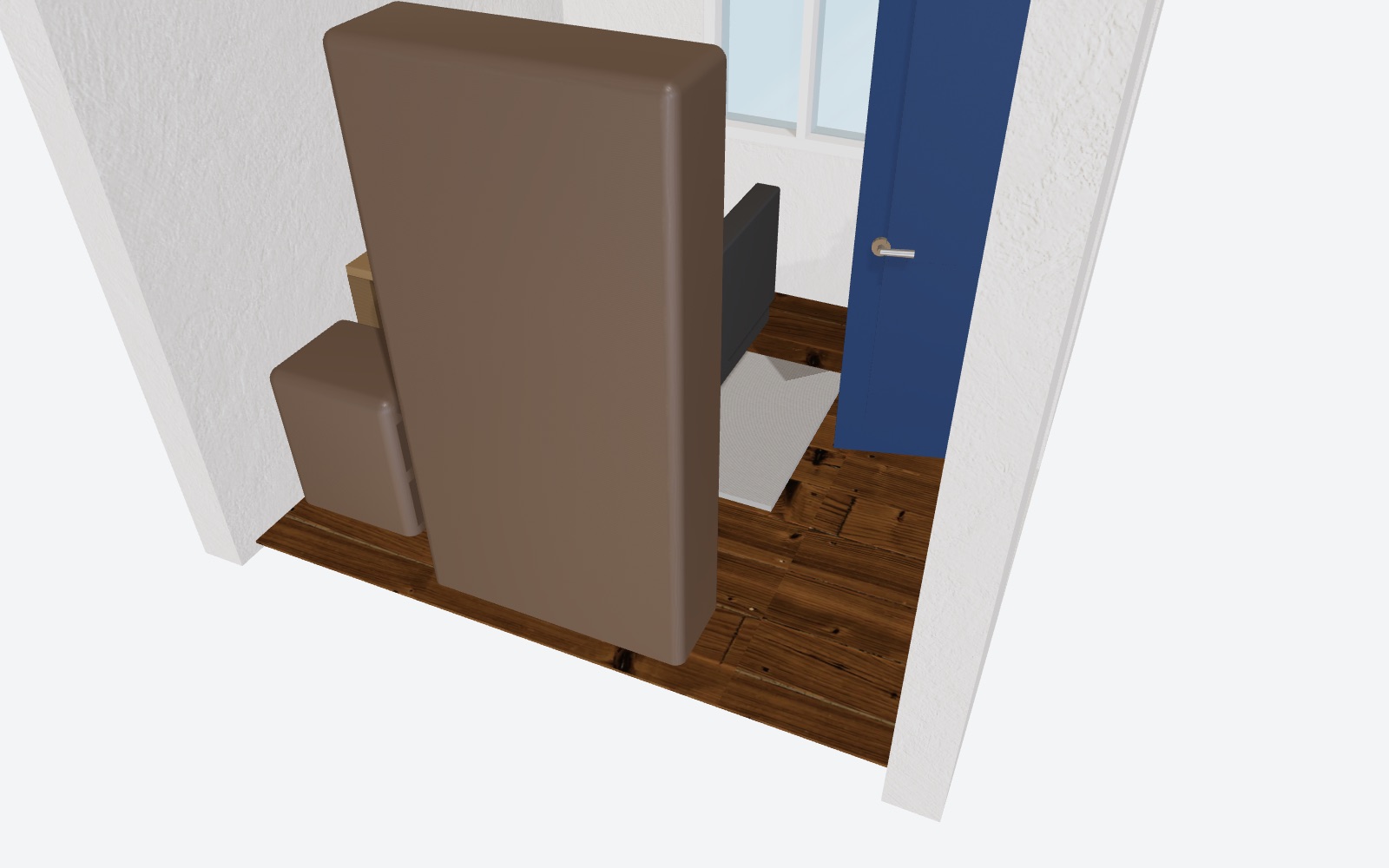
Small Home Office in RoomSketch3D's 3D view
The same plan in 3D

Small Home Office

8 × 8 ft

Best for: a spare box room, a large closet or a corner you can close a door on

A 48 × 24 in desk on the side wall with a 27 in monitor and desk lamp, an ergonomic chair, a file pedestal beside the desk, a bookshelf and a tall plant in the window corner.

  • The desk runs along the side wall, so the window is beside the screen rather than behind or in front of it.
  • 36 in from the front of the desk for the chair to push back and stand up — in an 8 ft room.
  • The screen sits roughly 2 ft from a seated person's eyes, inside OSHA's 20–40 in range.

Start from this layout: in the app, choose New Design → Use Template → Small Home Office, then resize it to your room.
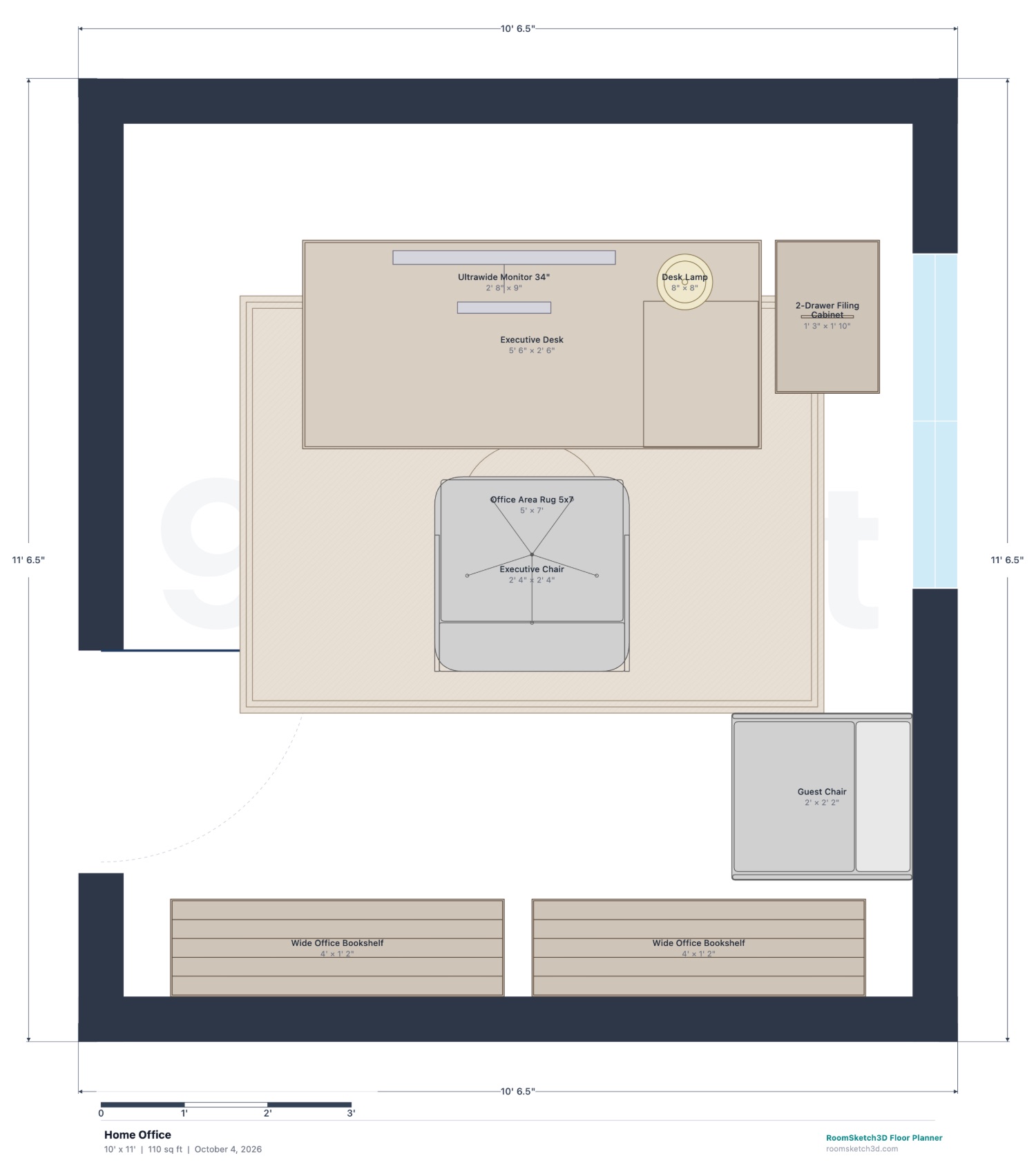
Home Office (10 × 11 ft) — dimensioned 2D floor plan in RoomSketch3D
2D plan, drawn to scale — click to enlarge
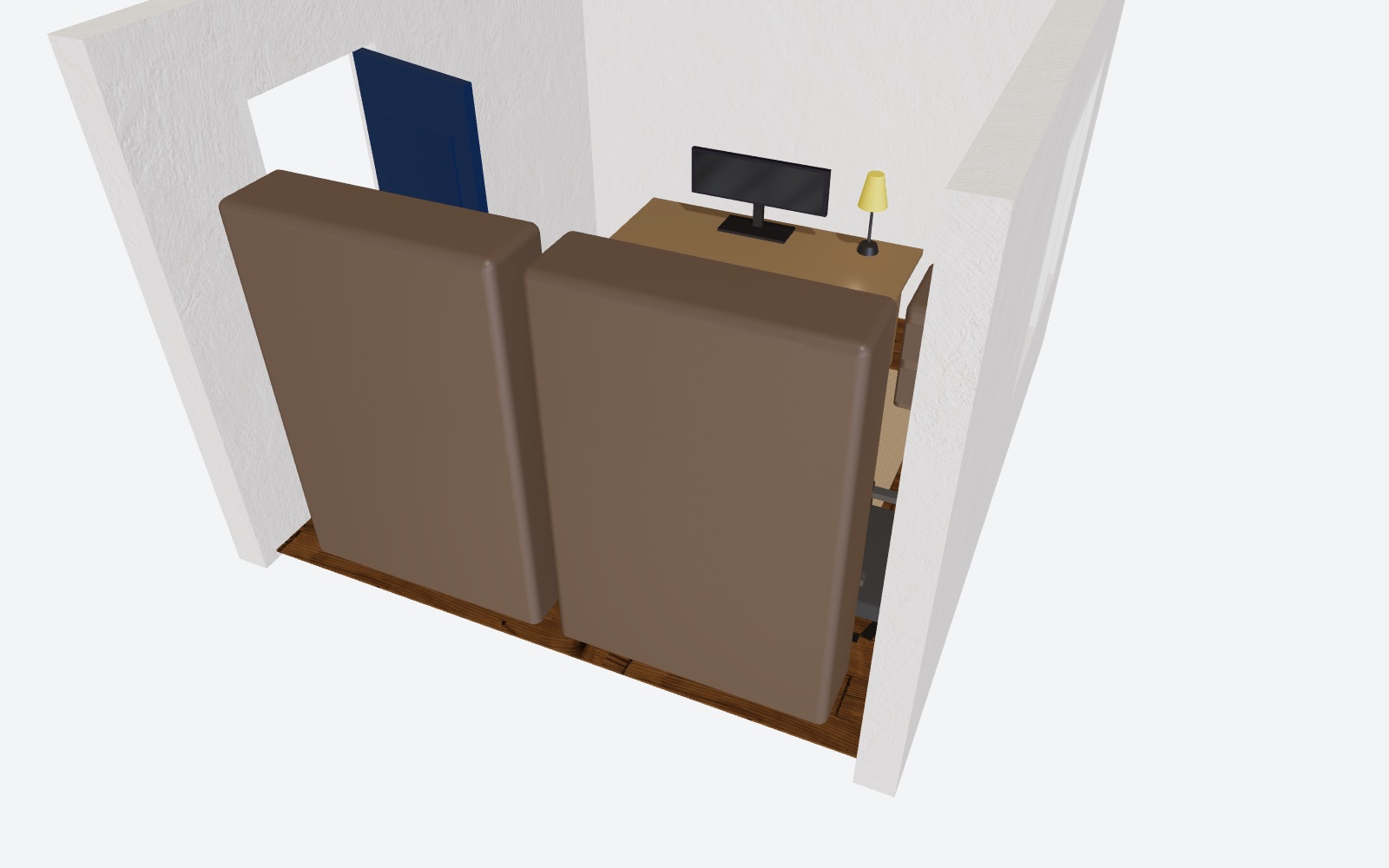
Home Office in RoomSketch3D's 3D view
The same plan in 3D

Home Office

10 × 11 ft

Best for: anyone on video calls every day

A 66 in executive desk set just off the front wall with a 34 in ultrawide monitor, an executive chair, two wide bookshelves on the wall behind you, a two-drawer file beside the desk and a guest chair.

  • The bookshelf wall behind the chair is your video-call background — not a door, a bed or a bright window.
  • The window is to the side of the desk, so daylight falls across your face without glare on the screen.
  • 36 in for the chair to push back, with the guest chair and the file drawers both clear of it.

Start from this layout: in the app, choose New Design → Use Template → Home Office, then resize it to your room.
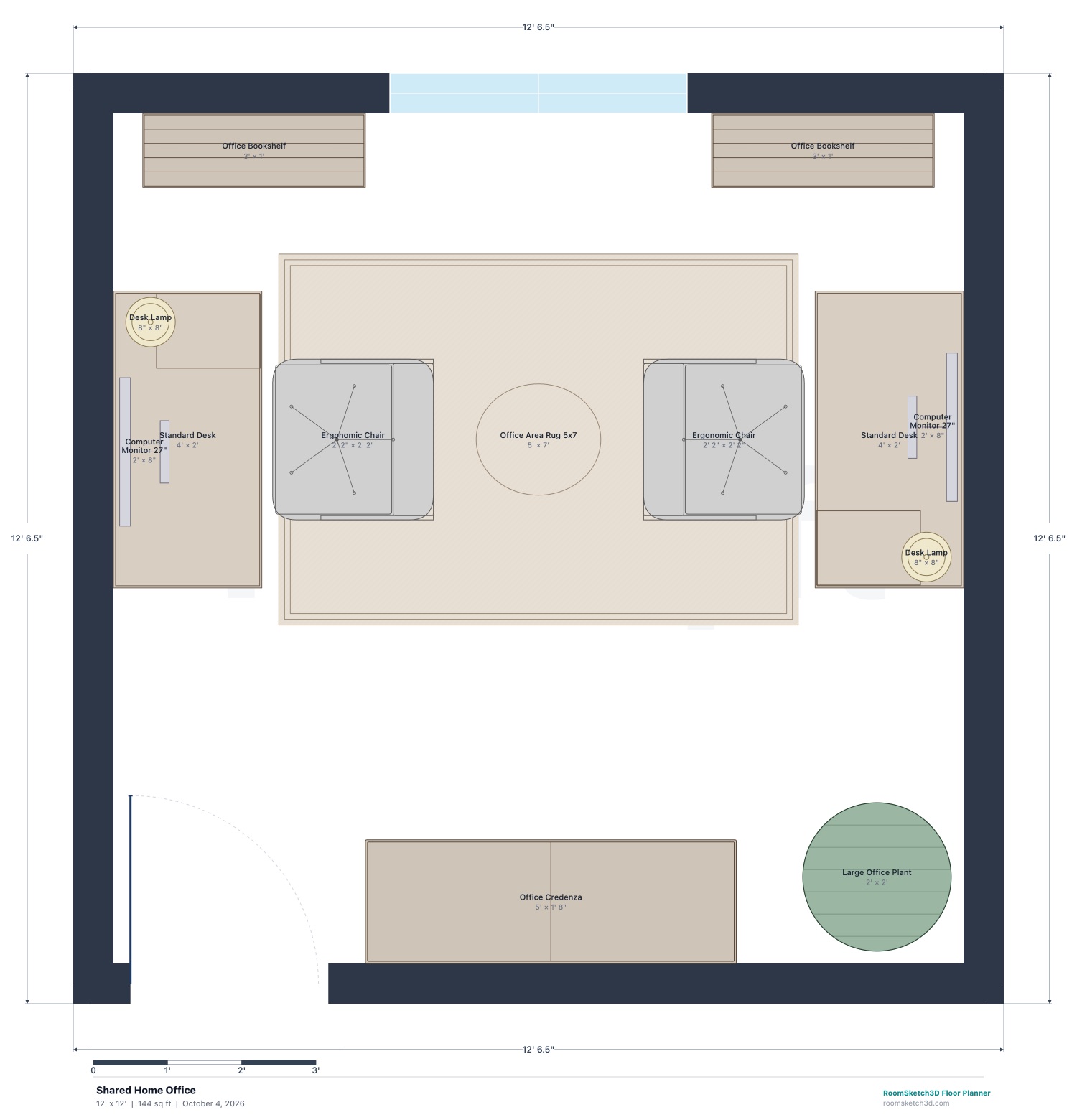
Shared Home Office (12 × 12 ft) — dimensioned 2D floor plan in RoomSketch3D
2D plan, drawn to scale — click to enlarge
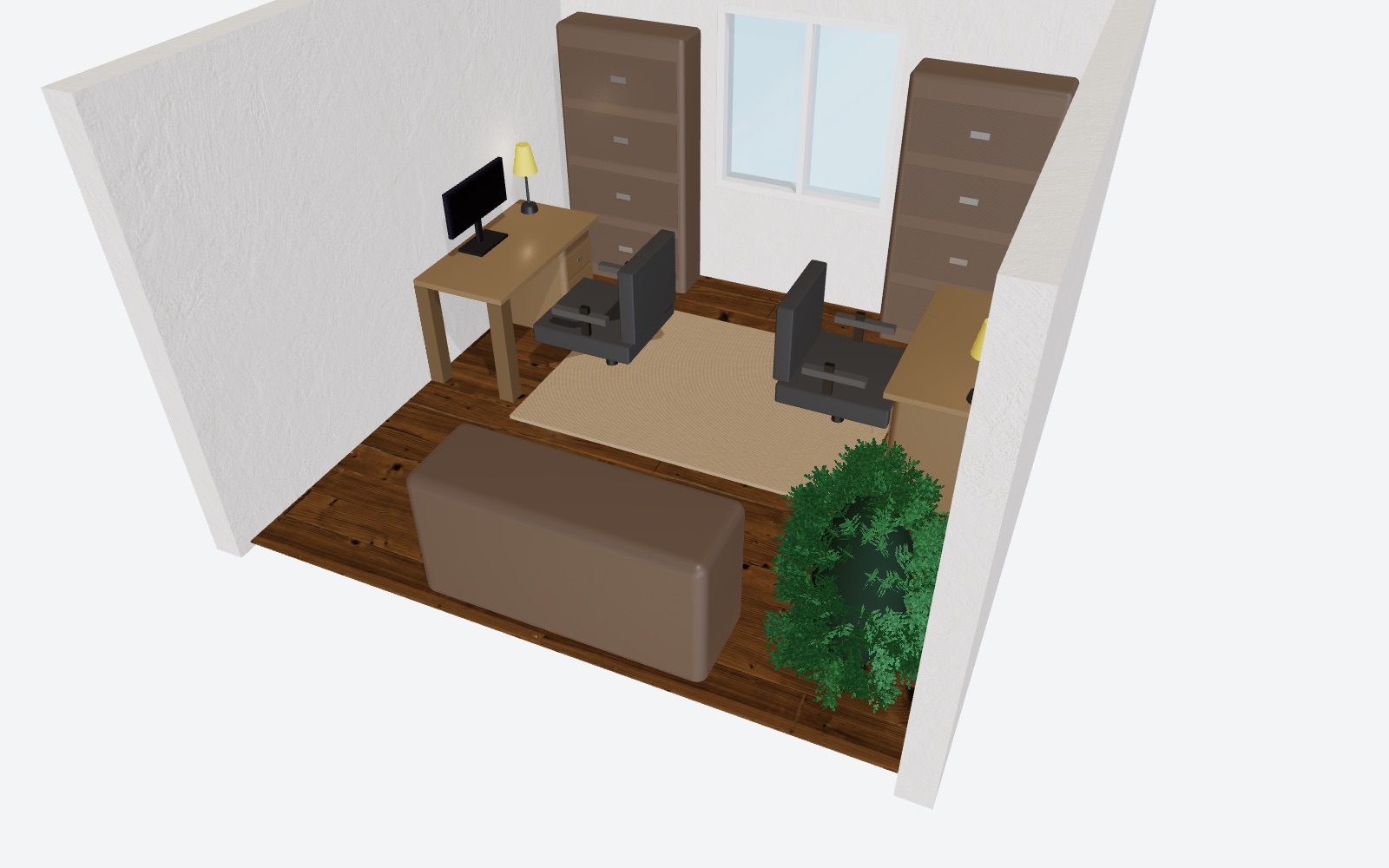
Shared Home Office in RoomSketch3D's 3D view
The same plan in 3D

Shared Home Office

12 × 12 ft

Best for: two people working from home in one room

Two 48 in desks on opposite walls, each with a 27 in monitor, desk lamp and ergonomic chair; you sit back to back. A shared credenza, bookshelves either side of the window and a plant.

  • Each chair has its own 36 in pull-back zone, and there are still 17½ in between the two zones.
  • Both desks are side-on to the window, so neither screen faces glare and neither person sits with the window behind them.
  • Sitting back to back means two video calls at once don't put each other on camera.

Start from this layout: in the app, choose New Design → Use Template → Shared Home Office, then resize it to your room.
Desk, chair and screen: the numbers from OSHA

The U.S. Occupational Safety and Health Administration publishes a Computer Workstations guide that is the clearest public reference for setting up a desk you sit at all day. The parts that affect your floor plan:

Workstation guidance[1][2]
WhatRecommendationMetric
Eyes to screen20–40 in50–100 cm
Top of the screenAt or slightly below eye level—
Screen and windowScreen perpendicular to the window—
Leg clearance under the desk20–28 in high50–72 cm
Chair pull-back behind the desk36 in (rule of thumb)91 cm
The chair pull-back figure is common design practice, not OSHA's; it is what our office templates are built to. A typical desk is 30 in high and 24–30 in deep.

Where to put the desk

Put the screen at a right angle to the window. Facing the window puts bright light behind the screen and strains your eyes; sitting with your back to it puts glare on the screen and turns you into a silhouette on video calls. Side-on gives you daylight without either problem.[1]

  • Facing into the room, with your back to a wall, is the classic "command" position — you can see the door and nobody walks up behind you.
  • Facing a wall is the most compact and the most focused, and it's the easiest way to fit a desk into a small room or a closet.
  • Keep the door out of your camera's view, and keep the desk out of the door's swing — the app flags furniture inside a door's swing.
  • Plan outlets before you buy: the app's electrical symbols let you mark where the desk, monitors and lamp will plug in.

Plan for video calls

Your camera sees whatever is behind you, so plan that wall like part of the room: shelves, artwork or a plain painted wall all work; a bed, a laundry pile or a doorway people walk through don't. In the app you can stand at the desk in the 3D walkthrough and look back at exactly what your camera will see.

Light your face from the front or the side — a window beside the desk or a lamp behind the screen — never from behind. Set the camera at about eye level by raising the laptop or using a separate webcam on the monitor.

When the office is a corner, a closet or a guest room

A workable desk needs about 4 × 2 ft of wall plus 3 ft behind it for the chair — so even an 8 × 8 ft room — or a wide closet with the chair standing in the room — can hold a real office. A 36 in wall-mounted desk saves floor where every inch counts. In a guest room, a Murphy bed that folds into the wall gives you the floor back during the day.

Home Office planning mistakes to avoid

Sitting with your back to the window

Glare on the screen all afternoon, and you're a dark silhouette on every video call.

Turn the desk side-on to the window — OSHA's own advice for screens.

No room to push the chair back

A bookshelf or bed 2 ft behind the desk means squeezing out sideways every time you stand up.

Keep 36 in clear behind the desk's front edge.

Forgetting what the camera sees

The wall behind you is in every meeting you join.

Plan the background wall on purpose, and check it from the desk in the 3D walkthrough.

A desk too deep for the room, or too shallow for the screen

Too shallow and the monitor sits closer than 20 in; too deep and it eats the walkway.

A 24–30 in deep desk keeps the screen inside OSHA's 20–40 in range for most people.

Filing drawers that hit the chair

A file cabinet behind or beside the chair can't open while you're sitting.

Give drawers their own clear space, away from the chair's pull-back zone.

Too few outlets in the wrong places

Extension cords across the floor are a trip hazard and look untidy on camera.

Mark outlets on the plan with the electrical symbols before you finalize the desk position.

Watch a whole home come together

The full 3:25 demo builds a two-story home from a blank page — floor plan, finishes, 3D and photoreal renders. It starts at 1:39, “Auto-furnish: 62 ideas that fit”; scrub back to see the whole thing.

Under a minute each: home office layouts in the app

Home office nook

Streaming studio

Family command center

Craft corner

Home Office planner questions

Straight answers, including what the app doesn't do

Where should a desk go in a home office?

Side-on to the window, so the screen is perpendicular to it — OSHA's advice to avoid glare. Then choose between facing into the room (you can see the door, with a wall behind you for video calls) or facing a wall (most compact and focused). Keep 36 in behind the desk for your chair.

How far should a monitor be from my eyes?

OSHA recommends 20–40 in (50–100 cm) from your eyes to the screen, with the top of the screen at or slightly below eye level. A 24–30 in deep desk usually puts a monitor in that range.

How small can a home office be?

A desk about 4 ft wide and 2 ft deep plus 3 ft behind it for the chair is enough, so an 8 × 8 ft room — or a deep closet — can work. Our Small Home Office template is 8 × 8 ft with a bookshelf and a file pedestal too.

Can two people share a home office?

Yes, if each person has their own desk and pull-back space. Our Shared Home Office puts two desks on opposite walls of a 12 × 12 ft room so you sit back to back — two video calls at once don't put each other on camera.

Is this the same as a paper planner?

No — RoomSketch3D plans the room itself: the floor plan, furniture and layout of your home office, in 2D and 3D. It doesn't schedule your work week.

Is the home office planner free?

No. RoomSketch3D is $19.99 once — no subscription and no free trial — for the full planner on web, iPhone/iPad and Android, with a 30-day money-back guarantee. The only optional extra is AI render credits (5 renders are free).

Still have questions?

Contact our support team

Sources

  1. OSHA Computer Workstations eTool — Monitors
  2. OSHA Computer Workstations eTool — Desks

Facts on this page were last checked on October 4, 2026. Guidelines are planning recommendations, not your local building code — check with your local building department before you build.

Plan your home office before you buy a single thing

Draw your room to scale, start from a layout above, and check it in 3D. $19.99 once, yours on every device.

Open RoomSketch3D