
Office · Classroom & Meeting
Projector (Ceiling Mount)

Overview
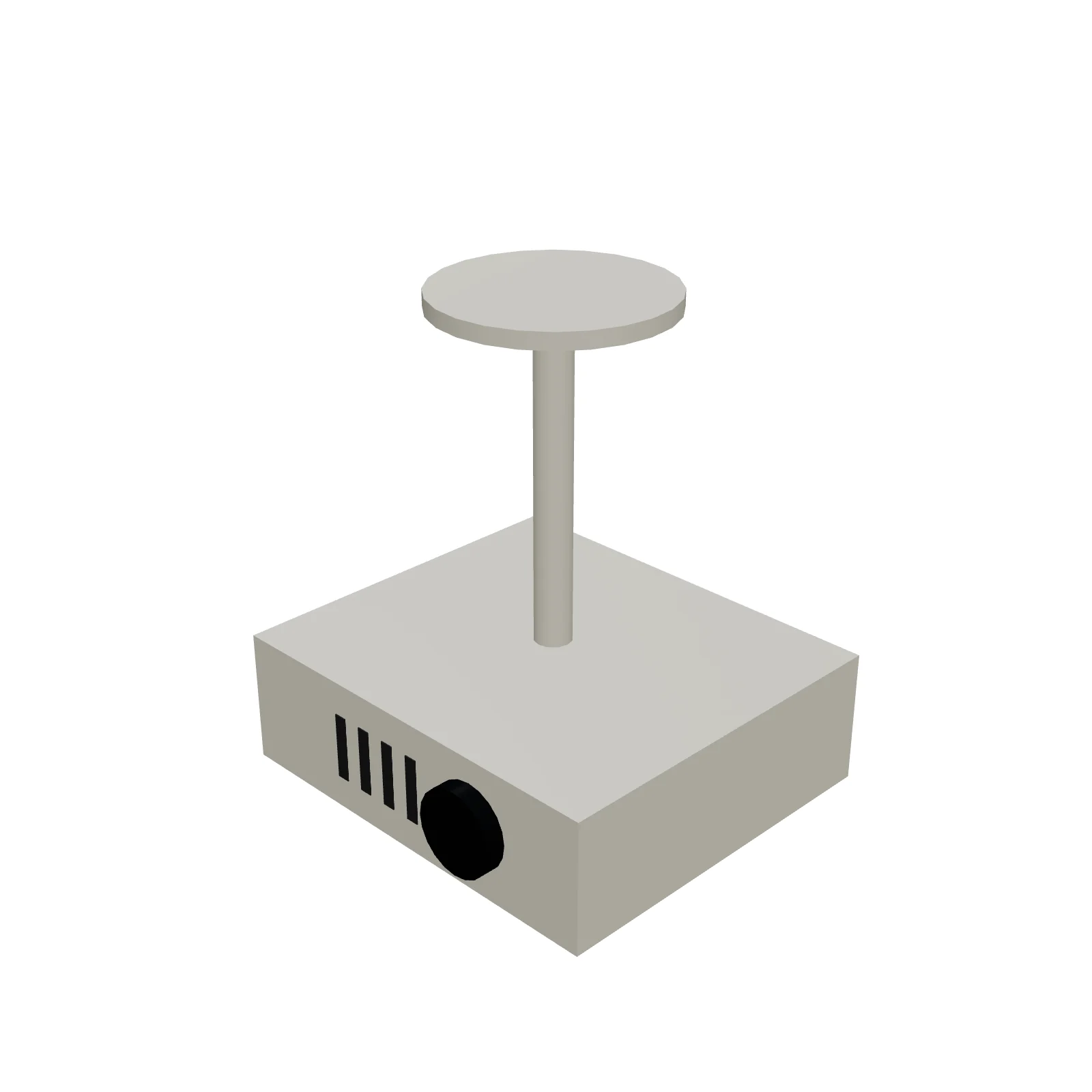
A ceiling-mounted projector: a mounting plate on the ceiling, a drop pole and the projector body with its lens and vent slots on the front. Classroom, meeting room and home theater planners use it to line the projector up with the screen.
Sizing & placement
It is 16 inches wide, 14 inches deep and 18 inches tall including the drop pole (about 41 × 36 × 46 cm). It hangs from the ceiling: its mount point is the room's wall height, and Mount (from floor) in its panel lowers it. Because it hangs, a table or chairs can stand under it. Place it centered on the screen; the throw distance depends on the projector, so check its guide for how far back it must be for your screen size.
Where it works
Classrooms, meeting and conference rooms, training rooms and home theaters. It is in the Classroom & Meeting section of the Office tab in Furnish; search "projector", "ceiling projector" or "video projector".
Specifications
| Width | 16 in |
|---|---|
| Depth | 14 in |
| Height | 18 in |
| Shape | rectangle |
| Size class | small |
| Room types | office |
| Default color | #EEF0F2 |
Featured in Design Ideas
- Plan a classroom, training room or meeting room
Student desks, training tables, whiteboards, projector, screen and auditorium rows: arrangements, aisle spacing, screen distance and a worked classroom.
Configurable options
- Color — any hex value
Frequently asked questions
- How big is the ceiling projector?
- It is 16 inches wide, 14 inches deep and 18 inches tall with its drop pole (about 41 × 36 × 46 cm).
- Can I put it over a table?
- Yes. It hangs from the ceiling, so a table can stand under it.
- My ceiling is high. Can I lower it?
- Yes. Use Mount (from floor) in its panel to bring it down, or make the drop longer by increasing its height.
More classroom & meeting
Related guides
Place the Projector (Ceiling Mount) in your own floor plan
Open RoomSketch3DIncluded with RoomSketch3D — $19.99 one-time purchase, the full catalog included. No subscription.